

23.88. DD 87: Wallet Onboarding Experience#
- Design status:
Accepted
- Implementation status:
Partial
- DD shepherd:
TBD
- Historical contributors:
Vlada Svirsh
- First published:
2026-03-01
- Last substantive change:
2026-05-18
- Implementation evidence:
taler-android(2026-03-10; 2026-03-19);taler-ios(2026-03-10)
23.88.1. Summary#
This document proposes a design for the wallet onboarding experience. It defines what Android, iOS and WebExtension should follow in order to have a coherent onboarding experience between platforms.
23.88.2. Motivation#
We want user to have smooth onboarding experience independent of the platform they are using. This includes first informational screem and choosing payment service (exchange) for first withdrawal of digital cash.
23.88.3. Requirements#
List of trusted payment services (exchanges) should be preloaded in the wallet and user should be able to choose one of them for first withdrawal of digital cash.
23.88.4. Proposed Solution#
23.88.4.1. Empty Wallet#
This is the screen user will see when they open the wallet for the first time, before withdrawing any digital cash.
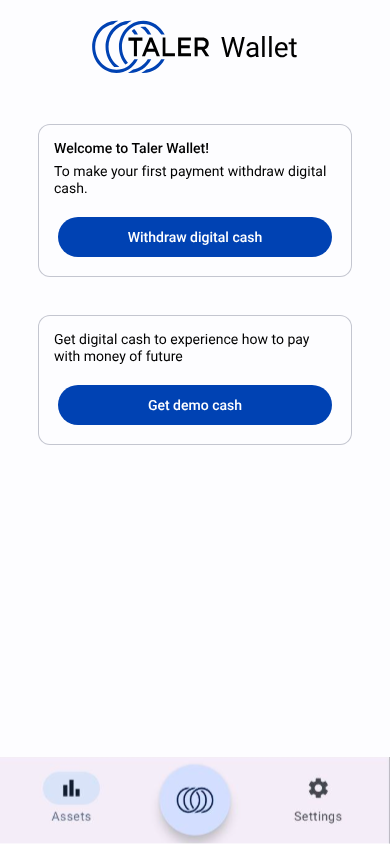
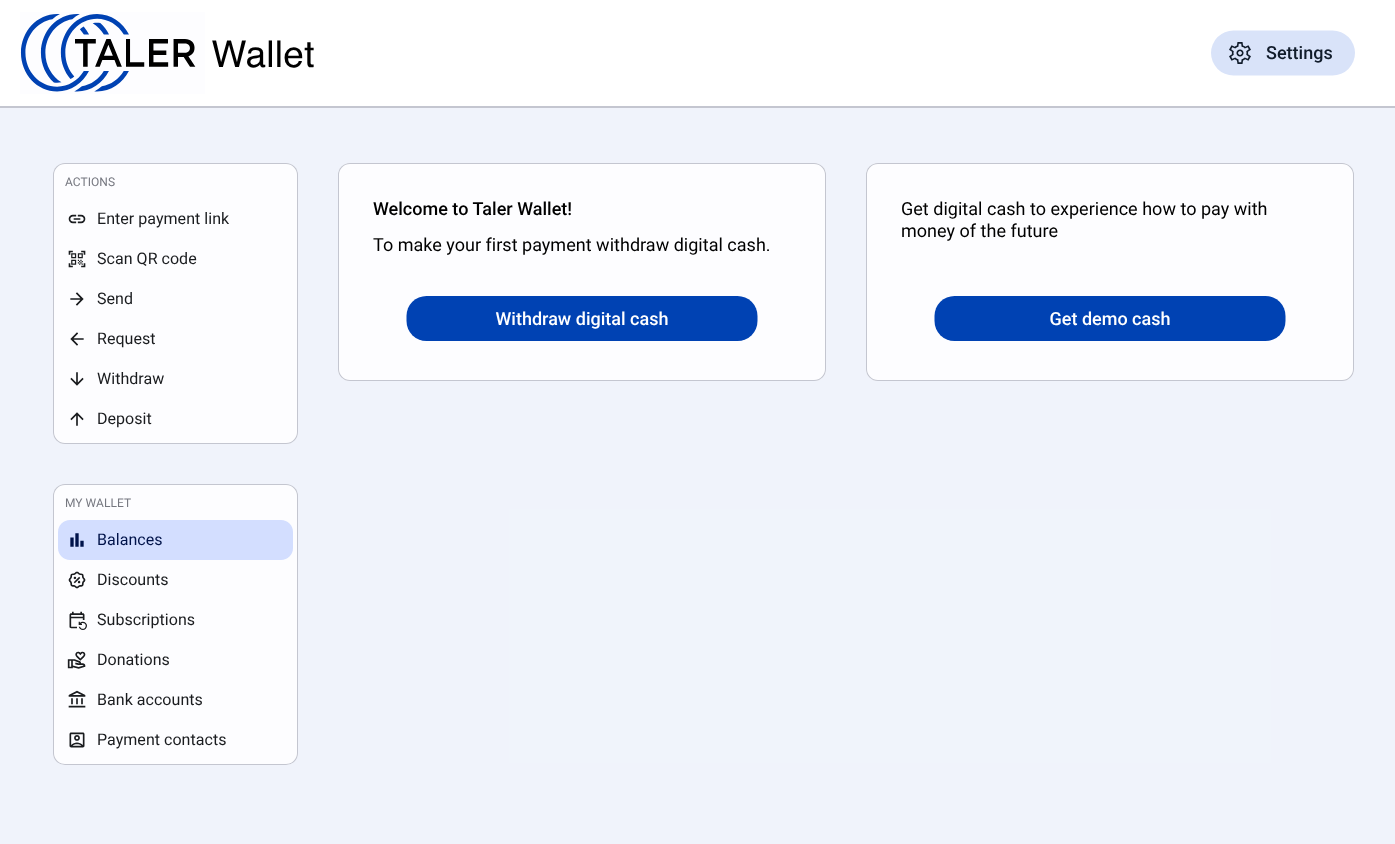
- On top of the screen is logo:
Logo for: light mode png file, light mode svg file
Logo for: dark mode png file, dark mode svg file


Withdrawal of real cash and demo cash is separated for two cards.
- First card:
- Text: “Welcome to Taler Wallet!
To make your first payment withdraw digital cash.”
Button: “Withdraw digital cash”
For deployment only with CHF use text “Withdraw CHF” instead of “Withdraw digital cash”.
- Second card:
Text: “Get digital cash to experience how to pay with money of future.”
Button: “Get demo cash”
If the user withdrew demo cash, the wallet shows the card with text “Currently you have only demo cash. Withdraw real digital cash.” and the button “Withdraw CHF” (or “Withdraw digital cash” if deployment is not limited to CHF) on top of the balances list.
Penpot design file is available here.
23.88.4.2. Choosing payment service (exchange)#
When user clicks on “Withdraw digital cash” button, they should be able to choose one of the preloaded trusted payment services (exchanges) for first withdrawal of digital cash.
23.88.4.2.1. Mobile#
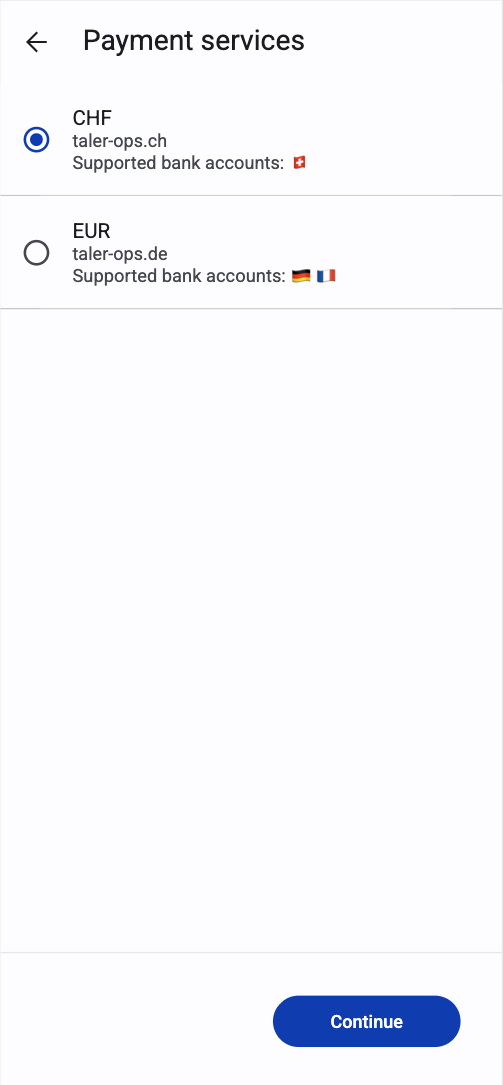
This screen is shown as a full page.
List of payment services is presented as radio options (single choice). Each option contains:
Currency code (“CHF”, “EUR” etc.)
Exchange baseurl (“taler-ops.ch”, “taler-ops.de” etc.)
Text: “Supported bank accounts:” followed by country flags of supported bank accounts for withdrawal (e.g. Swiss flag for swiss bank accounts etc.)
Sorting by currency code is recommended.
On the bottom of the screen is primary button “Continue”
Action: proceed to withdraw screen using the selected payment service (exchange).
23.88.4.2.2. WebExtension#
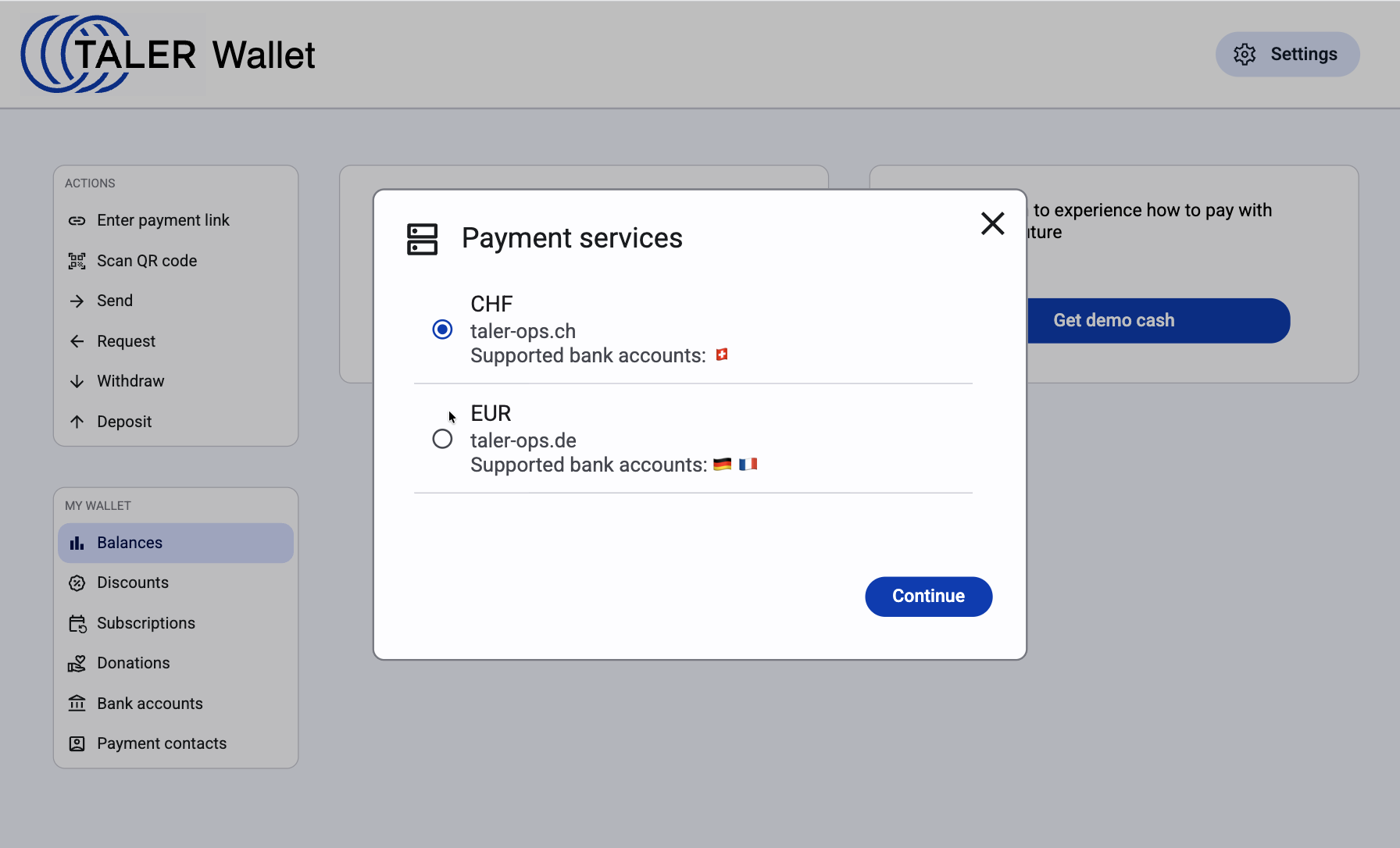
This step is shown as a modal dialog on top of wallet main view (background is dimmed).
List of payment services is presented as radio options (single choice). Each option contains:
Currency code (“CHF”, “EUR” etc.)
Exchange baseurl (“taler-ops.ch”, “taler-ops.de” etc.)
Text: “Supported bank accounts:” followed by country flags of supported bank accounts for withdrawal (e.g. Swiss flag for swiss bank accounts etc.)
Sorting by currency code is recommended.
On the bottom-right of the modal is primary button “Continue”
Action: proceed to withdraw screen using the selected payment service (exchange).
23.88.5. Alternatives#
23.88.6. Drawbacks#
23.88.7. Discussion / Q&A#
(This should be filled in with results from discussions on mailing lists / personal communication.)