

23.90. DD 89: Merchant 2FA UX#
- Design status:
Accepted
- Implementation status:
Prototype
- DD shepherd:
TBD
- Historical contributors:
Florian Dold
- First published:
2026-03-03
- Last substantive change:
2026-03-03
- Implementation evidence:
taler-typescript-core(2026-08-05, not merged into the reviewed HEAD)
23.90.1. Summary#
This design document describes the user experience for two factor authentication in the merchant portal.
23.90.2. Motivation#
Users have been confused by the design currently implemented. The 2FA is an important flow and as such should be well designed and documented.
23.90.3. Requirements#
At every step of the process, it should be clear to the user what they need to do next.
23.90.4. Proposed Solution#
We differentiate between two cases:
2FA steps where all possible channels have to be validated. This is typically the case for sign-up and password reset. Here, we guide the user one by one. The user can’t choose the order.
2FA steps where some channels have to be validated. This is typically the case for log-in and protected operations such as modifying bank account information. Here the user can select which channel to use.
Common considerations:
The cancel button always cancels the whole operation.
Once the backend supports it, 2FA codes should have a dash after every group of 4 digits and start with a common prefix (
TM-for the Taler merchant) that is already displayed in the UI. Since we don’t know the length of the 2FA code, we can’t display boxes directly, but the text field should automatically fill in dashes.
23.90.4.1. Sign-up#
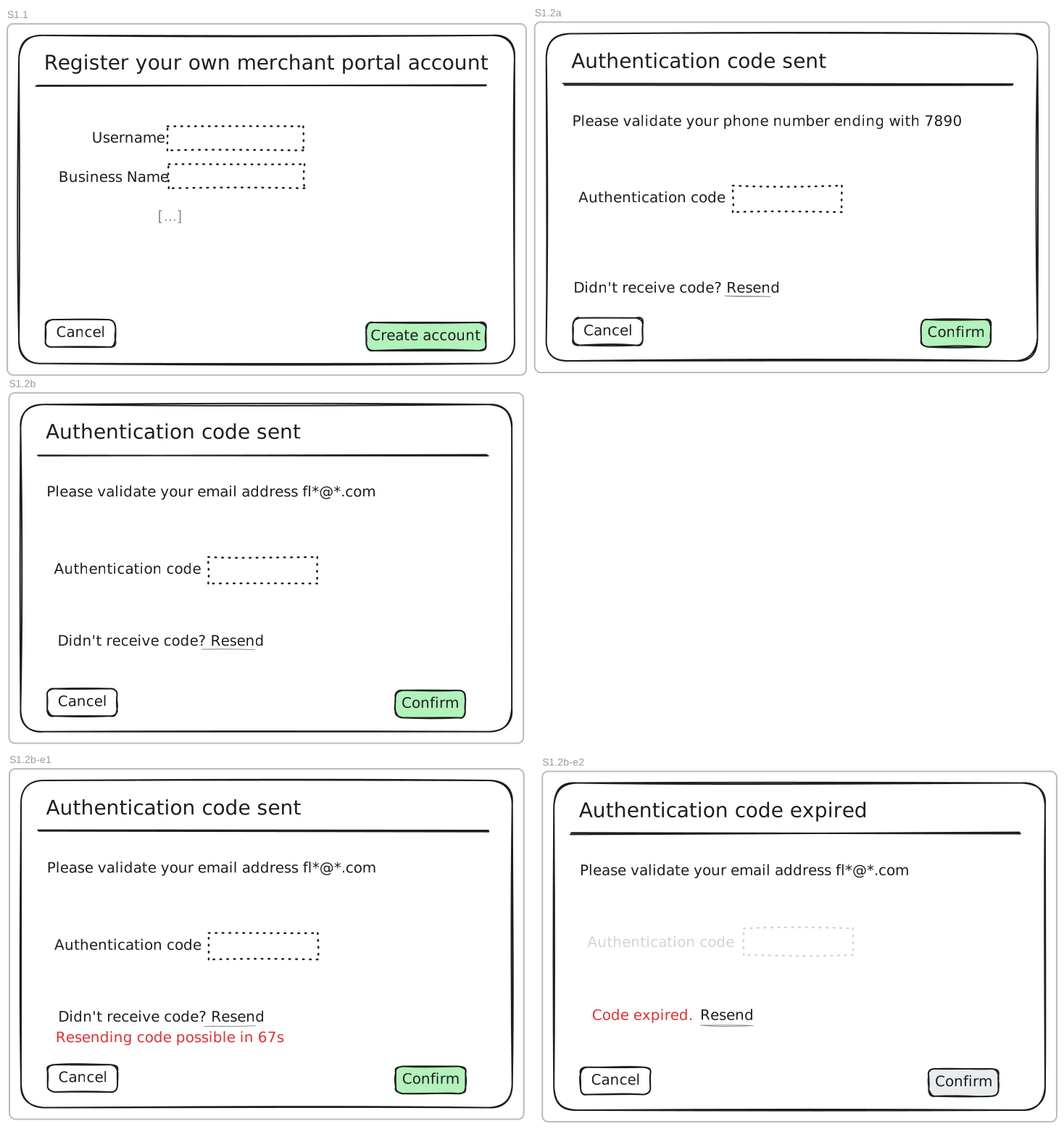
These wireframes apply to 2FA where all channels need to be validated. The sign-up is taken as an example.
For a sign-up, the UI should display the full phone number / e-mail address. For other operations such as password reset,
S1.2a/bshould show the redacted addresses.In the usual flow, the user sees
S1.1,S1.2aand finallyS1.1b.
23.90.4.2. Authentication#
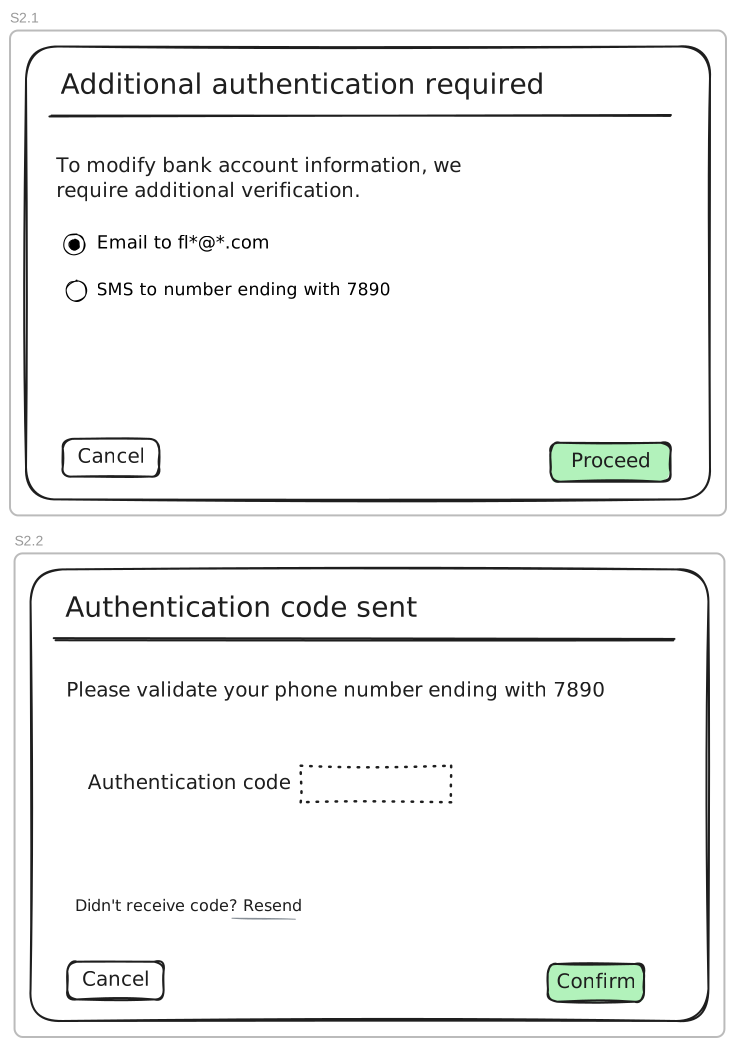
These wireframes apply to 2FA where some channels (usually one) need to be validated. Adding a bank account is taken as an example.
We explicitly use a check-box instead of a button, since:
We can pre-select the 2FA option that we consider preferable (cost)
Instead of having many buttons, there’s only one primary action
For resending / expired auth codes, see
S1.2b-e*
23.90.5. Test Plan#
Non-trivial UI elements should be tested on mobile (such as the 2FA code entry input element with dashes).
23.90.6. Discussion / Q&A#
Do we know beforehand from the API which 2FA channels are required?
When signing up, what if the user mistyped their phone number? Do we offer some affordance to go back and edit that information?